Introduction
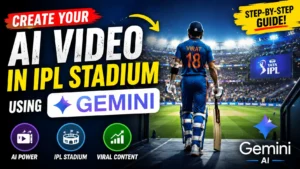
Cricket fans are now Create AI Video in IPL Stadium Using Gemini AI using AI tools like Gemini. From walking into a packed stadium to celebrating sixes like a professional cricketer, AI can generate realistic IPL-style videos within minutes.
If you want to create viral Instagram Reels, YouTube Shorts, or personal cricket edits, Gemini AI makes the process simple even for beginners. In this article, you will learn how to create your own AI video in an IPL stadium step by step using Gemini AI prompts, editing ideas, and pro tips for realistic results.
Why IPL Stadium AI Videos Are Trending
IPL-themed AI videos are becoming viral because they look cinematic, emotional, and highly engaging for cricket audiences. Create AI Video in the IPL Stadium Using Gemini AI
Things You Need Before Creating AI Videos
Before starting, make sure you have:
- A Google account
- Access to Gemini
- Basic video editing app
- Cricket stadium image or idea
- Good AI prompt writing skills
Step-by-Step Guide to Create AI Video in IPL Stadium
Step 1: Open Gemini AI
Visit:
Login using your Google account.

Step 2: Write a Detailed AI Prompt
The quality of your video depends on your prompt.
Example Prompt:
“Create a cinematic scene of a young cricketer entering a packed IPL stadium at night under floodlights, crowd cheering loudly, ultra realistic, slow-motion camera movement, dramatic atmosphere, 4K quality.”
Try adding:
- Camera angles
- Crowd atmosphere
- Lighting effects
- Jersey colors
- Celebration scenes
Best Gemini AI Prompt Ideas for IPL Videos
Prompt

““Create a realistic IPL cricket stadium audience scene during a live match broadcast. A beautiful young Indian girl with long black hair is sitting calmly in the crowd while people around her are cheering loudly and celebrating. She is wearing a stylish black sleeveless top with white pants, natural makeup, soft smile, realistic facial details, cinematic lighting, DSLR quality, ultra realistic skin texture. Around her, cricket fans are wearing RCB and Mumbai Indians jerseys, waving cheering sticks and reacting excitedly. Add realistic IPL broadcast graphics on screen including scorecard, team logos, overs, player stats, and JioHotstar live streaming watermark. Packed cricket stadium in background with bright floodlights, energetic sports atmosphere, live TV camera angle, shallow depth of field, realistic crowd details, viral Instagram aesthetic, 4K ultra realistic sports photography.””
Benefits of Using Gemini AI for Video Creation
- Beginner-friendly interface
- Fast content generation
- Creative AI suggestions
- High-quality cinematic ideas
- Saves editing time
Common Mistakes to Avoid
- Writing short prompts
- Using low-quality images
- Over-editing transitions
- Adding too many effects
- Ignoring lighting details
Is Gemini AI Free to Use?
Yes, Gemini offers free access for basic AI content generation. Some advanced AI features may require premium access depending on availability.
Conclusion
Create AI Video in IPL Stadium has become one of the biggest social media trends among cricket fans and content creators. With tools like Gemini, anyone can generate cinematic cricket-style scenes without professional editing experience.
By using detailed prompts, realistic effects, and creative editing, you can create viral IPL-themed AI videos for Instagram Reels, YouTube Shorts, and other social platforms. Start experimenting with Gemini AI today and bring your dream cricket moments to life.

FAQ Section (SEO Boost)
How can I create AI videos in IPL stadiums?
You can use Gemini to generate realistic cricket scene prompts and combine them with video editing apps.
Is Gemini AI free?
Yes, Gemini AI provides free access for many features.
Which editing app is best for AI cricket videos?
CapCut and VN Editor are beginner-friendly options.
Can I upload AI IPL videos on YouTube Shorts?
Yes, AI-generated IPL-style videos are perfect for Shorts and Instagram Reels for Create AI Video in IPL Stadium
Do AI videos go viral?
Creative and realistic AI videos have high chances of gaining views and engagement.